
The demand for audio-to-text conversion has skyrocketed in recent years, with businesses, content creators, and professionals seeking efficient ways to transcribe audio recordings, meetings, podcasts, and videos. In 2025, the advent of AI transcription technology has made converting speech into text easier than ever before. While paid transcription services offer advanced features and support, many users are still looking for free audio-to-text converters that can get the job done.
In this blog post, we’ll explore the top five free audio-to-text converters in 2025 and highlight what makes a converter stand out in terms of accuracy, speed, and user experience.
What is Audio-to-Text Conversion?
Audio-to-text conversion is the process of transforming spoken words from audio or video files into written text using speech recognition software. This technology allows users to quickly transcribe interviews, lectures, podcasts, and other audio content into editable and searchable formats.
Traditionally, transcription was a labor-intensive process, requiring professional transcriptionists to listen to recordings and manually type the spoken words. However, with the rise of AI-driven transcription tools, this process has become automated and much faster.
In 2026, the use of AI in audio-to-text transcription has led to major improvements in transcription speed, accuracy, and accessibility. Today’s AI transcription tools can handle complex tasks like speaker identification, context understanding, and multilingual transcription, making them invaluable for a wide range of use cases.
Top 5 Free Audio-to-Text Converters in 2025
Let’s dive into the top free audio-to-text converters available in 2025. While these tools provide great value, they also come with limitations, such as transcription time limits, word count restrictions, or fewer advanced features compared to premium solutions.
1. DeVoice
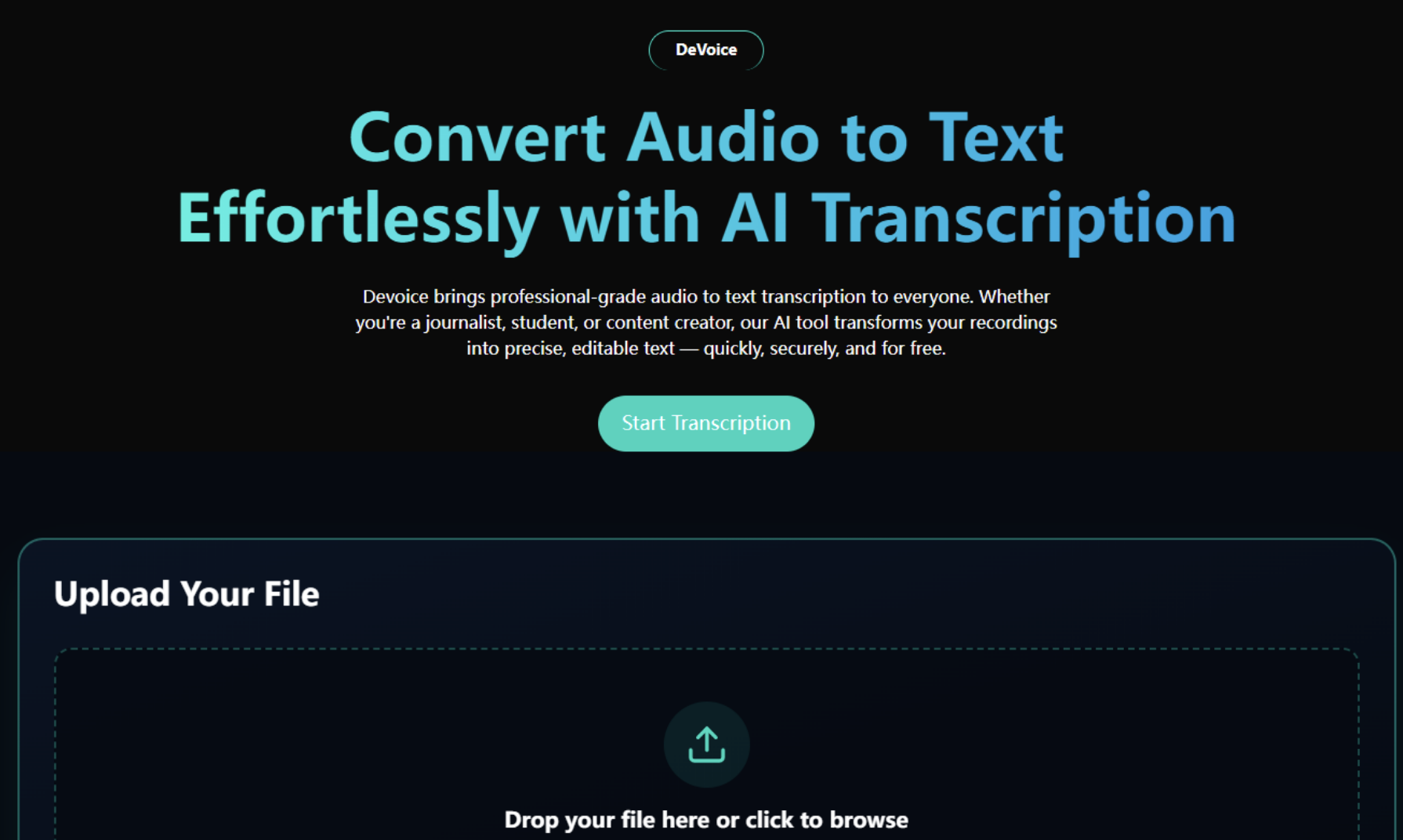
DeVoice offers an excellent free plan that provides basic transcription services with a limited word count. Their AI engine is trained to transcribe complex speech, including multiple speakers, technical jargon, and accents, making it one of the most reliable tools on the market.
Pros:
- Free plan with no sign-up required for small projects
- High accuracy, especially with non-native accents and technical terminology
- Multi-language support (over 98 languages)
- Integration with cloud storage and other platforms
Cons:
- Free plan has some limitations on word count and file upload size
- The premium plan is required for large-scale transcription or advanced features
Best for: Users who need a reliable, high-accuracy tool that can handle diverse audio content, and are looking for a no-hassle free plan.
2. Google Docs Voice Typing
Google Docs offers a free voice typing feature that allows you to convert speech into text directly within a Google document. It uses Google's speech recognition technology, which is fast and reliable.
Pros:
- Completely free and accessible through Google Docs
- Supports multiple languages
- Integrated with Google Workspace, so it's great for collaboration
Cons:
- Requires a microphone for input, so it’s not ideal for transcribing pre-recorded audio files
- Limited accuracy, especially with complex terms or strong accents
- Doesn’t handle long audio files well
Best for: Users looking for quick, simple transcription while working in Google Docs.
3. Otter.ai
Otter.ai offers an easy-to-use transcription service with both free and paid plans. The free plan allows users to transcribe up to 600 minutes per month and includes features such as real-time transcription and speaker identification.
Pros:
- Automatic transcription with speaker differentiation
- Syncs audio and text in real-time
- Offers collaboration tools for teams
Cons:
- The free plan is limited to 600 minutes per month
- Accuracy can decrease with background noise
- Limited export options in the free plan
Best for: Small businesses or individuals needing to transcribe short meetings or interviews.
4. Sonix
Sonix is a popular transcription tool that offers a 30-minute free trial to new users. Known for its high-quality transcriptions, it uses advanced AI algorithms to provide accurate and fast transcriptions.
Pros:
- High accuracy with advanced speech recognition
- Can transcribe in multiple languages
- Includes editing and collaboration features
Cons:
- The free trial is limited to just 30 minutes of transcription
- Requires a paid plan after the free trial expires
- Limited to web browser use
Best for: Users looking for a professional-grade transcription tool on a trial basis.
5. Rev
Rev is well-known for its human transcription services, but it also offers a free trial for its AI-powered transcription tool. With this free trial, users can get up to 5 minutes of free transcription before upgrading to a paid plan.
Pros:
- High-quality AI transcription with an option for human correction
- Provides captions, subtitles, and transcripts
- Easy-to-use interface
Cons:
- Limited to just 5 minutes of free transcription
- Accuracy is not always ideal for complicated audio or heavy accents
- Paid plans can be expensive compared to other options
Best for: Users who need a quick, high-quality transcription and may be considering human-editing options in the future.
Conclusion
In 2025, audio-to-text converters have advanced significantly, and a variety of free and paid tools now support users with transcription tasks. Many platforms offer features such as automated speech recognition, multilingual support, and user-friendly interfaces that suit different needs for content creators, business professionals, and educators.
While tools like Google Docs, Otter.ai, and Sonix remain useful for basic transcription, other modern solutions, such as DeVoice, provide additional capabilities such as higher accuracy, improved workflow integration, or enhanced editing features. The best choice ultimately depends on the user’s specific requirements, such as file length, language needs, collaboration features, or processing speed.
Featured Image by Freepik.
Share this post
Leave a comment
All comments are moderated. Spammy and bot submitted comments are deleted. Please submit the comments that are helpful to others, and we'll approve your comments. A comment that includes outbound link will only be approved if the content is relevant to the topic, and has some value to our readers.
Comments (0)
No comment